| K55 CORE RGBCorsair | £39.99 | Full size (with number pad) | Rubber dome (membrane) | Wired, USB 2.0 Type-A | RGB, 10 zones | Yes (UK model) |
| Apex 3 TKLSteelSeries | £44.99 | Tenkeyless (no number pad) | SteelSeries Whisper-Quiet switches | Wired, USB | RGB, 8 zones | Yes (UK model) |
| G213 ProdigyLogitech G | £59.99 | Full size (with number pad) | Mech-Dome (membrane-based), 4 mm travel | Wired, USB 2.0 | RGB, 5 zones | Yes (English UK option) |
| G413 TKL SELogitech G | £59.99 | Tenkeyless (no number pad) | Tactile mechanical | Wired, USB 2.0 (1.8 m cable) | White, per key | Yes (English UK option) |
| Ornata V3 TenkeylessRazer | £69.99 | Tenkeyless, low profile | Mecha-Membrane (membrane with a clicky feel) | Wired, attached cable | Razer Chroma RGB | Yes (UK model) |
| K70 CORE RGBCorsair | £89.99 | Full size, 105 keys | Corsair MLX Red v2 (linear mechanical) | Wired, USB Type-A | RGB, per key | Yes (UK model) |
| Origins 2 65HyperX | £100.00 | 65% compact | HyperX Linear Red (mechanical), hot-swap | Wired, detachable USB-C to USB-A | RGB | Check listing |
No products match. Raise the budget or change platform.
The shortlist, product by product
K55 CORE RGB
The lowest-priced keyboard here, with a membrane rubber-dome action, ten lighting zones, six macro keys and dedicated media and volume controls. Corsair rates it for 300 ml of spilled liquid and lists a 1,000 Hz polling rate and a two-year warranty.
Watch out: Corsair lists 12-key selective rollover rather than full n-key rollover, which matters only if you press many keys at once.
Apex 3 TKL
A compact keyboard with an IP32 water and dust resistance rating, a clickable volume roller and media keys. SteelSeries rates the switches for 20 million keypresses and lists Windows, Mac, ChromeOS, Xbox and PlayStation compatibility over USB.
Watch out: SteelSeries describes the switches as quiet with a mechanical-like feel, so do not expect the crisp action of a true mechanical switch.
G213 Prodigy
A full-size membrane keyboard with Logitech's Mech-Dome keys (4 mm travel, 50 g actuation force), five RGB zones, media controls and an integrated palm rest. Logitech rates it for spills up to 60 ml and lists Windows 7 or later.
Watch out: The RRP was £59.99, but Logitech's UK store showed it at £49.99 when we checked, so compare against the current price rather than the RRP.
G413 TKL SE
A tenkeyless mechanical keyboard with tactile switches, PBT keycaps and a brushed aluminium-alloy top case. Logitech lists 6-key rollover with anti-ghosting and a 1.8 m cable.
Watch out: The backlight is white only, and Logitech lists 6-key rollover rather than full n-key rollover.
Ornata V3 Tenkeyless
Razer's hybrid design pairs a membrane base with a clicky feel, in a slim low-profile body with UV-coated keycaps. The tenkeyless UK model was £69.99 on Razer's UK store; the full-size version was £89.99.
Watch out: Mecha-membrane switches are a membrane design, so they cannot be swapped and do not behave exactly like mechanical switches.
K70 CORE RGB
A full-size mechanical keyboard with pre-lubricated linear switches, two layers of sound-dampening foam, a multi-function rotary dial and a detachable magnetic palm rest. Corsair lists full n-key rollover, 1,000 Hz polling, storage for five profiles and a two-year warranty.
Watch out: It is the second most expensive keyboard here, and the extra cost goes on comfort features such as foam and the dial rather than on speed.
Origins 2 65
A compact mechanical keyboard with hot-swap sockets that HyperX says accept most 3-pin and 5-pin switches, a swappable housing and polling of up to 8,000 Hz. HyperX lists PC, PS5 and Xbox Series compatibility and a braided, detachable USB-C cable.
Watch out: The 65% size removes the function row and number pad, and the UK store listing does not state the key layout in its spec table, so check the key layout image before ordering.
UK ISO layout vs US ANSI: check the Enter key before you order
Keyboards sold in the UK normally use the ISO layout: a tall, upside-down L-shaped Enter key, a short left Shift with an extra key beside it (the one with the backslash), the £ sign on Shift+3 and the @ sign on the key next to the semicolon. US keyboards use ANSI: a wide, flat Enter key, a long left Shift and @ on Shift+2.
You can set Windows to either layout, so a US board still works. The problem is that the printed legends will not match what appears on screen, which is confusing for children who are still learning to type and annoying when you need the £ sign or the hash key.
- Look for “UK”, “English UK” or “ISO” in the model name or layout drop-down. Corsair, Razer and SteelSeries put the region in the product title; Logitech uses a layout selector.
- Imported listings on marketplaces are often US layout even when the page is in British English.
- Compact boards (65%, 60%) differ even more between regions, so look at the photo of the actual layout.
Membrane, mechanical or hybrid keyboard switches
The switch is the part under each key that registers the press. Budget gaming keyboards use three broad types.
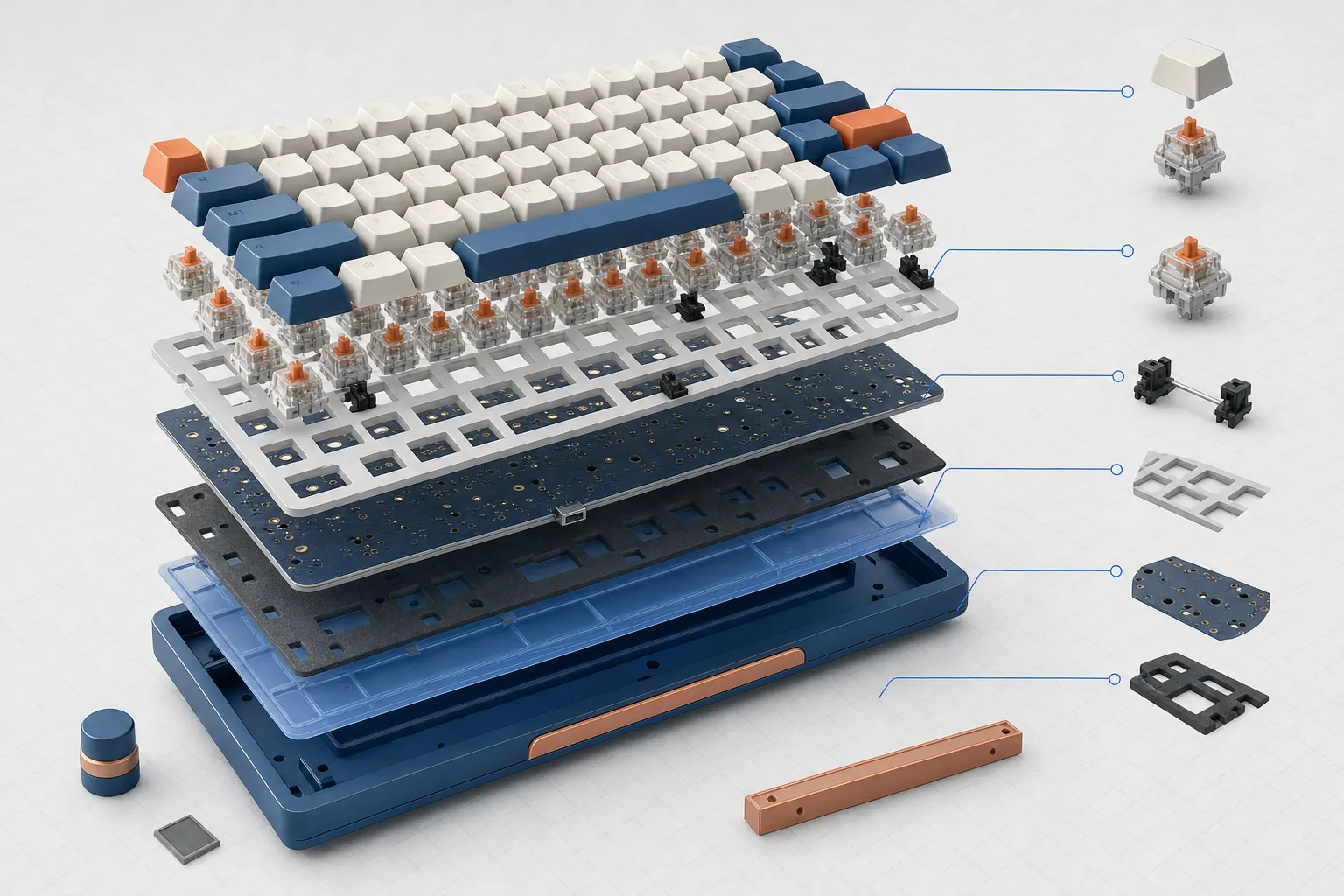
- Membrane (rubber dome): a rubber sheet pushes down onto a circuit layer. It is quiet, cheap and easy to make spill-resistant. The Corsair K55 CORE and Logitech G213 use this approach.
- Mechanical: each key has its own spring-loaded switch. These are usually described as linear (smooth all the way down), tactile (a small bump when the key registers) or clicky (a bump plus a click). The Logitech G413 TKL SE is tactile; the Corsair K70 CORE and HyperX Origins 2 65 are linear.
- Hybrid: brand-specific designs that put a mechanical-style feel on top of a membrane, such as Razer's Mecha-Membrane.
No switch type makes you a better player. What matters is whether you like the feel and the noise, especially in a shared room. If you can, try a keyboard in a shop before buying.
Full size, tenkeyless or 65%: matching the keyboard to your desk
A full-size keyboard has a number pad on the right. A tenkeyless (TKL) board drops the number pad but keeps the arrow keys and function row. A 65% board goes further: no function row, and the arrows and a few navigation keys are squeezed into the main block.
A smaller keyboard leaves more room on the right for the mouse, which helps on a narrow desk or when a game needs big mouse movements. The cost is convenience: entering numbers, using F-keys in older games and keyboard shortcuts in homework apps all get harder on a 65% board.
- Spreadsheets or lots of number entry: full size.
- Gaming plus general use on an average desk: tenkeyless.
- Very small desk or carrying the keyboard around: 65%, if you are happy using Fn combinations.
Wired keyboard connection, polling rate and rollover
Every keyboard in this list connects by cable, which is the simplest choice on a budget: there is no battery to charge and nothing to pair. Two connection specs come up often.
Polling rate is how often the keyboard reports to the computer each second. 1,000 Hz (once per millisecond) is standard for gaming keyboards, and Corsair lists it for both K-series models here. HyperX lists up to 8,000 Hz for the Origins 2 65. Higher figures make a very small difference that most players will not notice.
Rollover and anti-ghosting describe how many simultaneous presses are registered correctly. Logitech lists 6-key rollover for the G413 TKL SE, Corsair lists 12-key selective rollover for the K55 CORE and full n-key rollover (NKRO) for the K70 CORE. For most games, six keys at once is enough.
For more on cables versus wireless, see our wired vs wireless explainer.
Using a gaming keyboard on PS5, Xbox and Switch 2
A USB keyboard plugs into a console, but what it does depends on the console and the game.
- PS5: Sony's support page says USB and Bluetooth keyboards and mice can be connected, while noting that not every device works with the console.
- Xbox Series X|S: Xbox support says wired USB keyboards and mice work for navigation and in select games and apps; the publisher has to enable mouse and keyboard support for each game.
- Switch 2: Nintendo's settings guide includes a language option for a USB keyboard.
Manufacturer compatibility lists vary. SteelSeries lists PlayStation and Xbox for the Apex 3 TKL, and HyperX lists PS5 and Xbox Series for the Origins 2 65. Logitech and Corsair list PC operating systems for the models here. Even when a keyboard is listed for a console, check whether the specific game supports keyboard controls. There is more detail in our console compatibility guide.
Keyboard features that add cost without adding speed
Between about £40 and £100, most of the price difference goes on feel, build and extras, not on how quickly key presses reach the game.
- Per-key RGB versus a few lighting zones: it looks nicer, but it does not change performance.
- Aluminium top plates and sound-dampening foam: these change how sturdy the board feels and how it sounds.
- Media dials and rollers: handy if you change the volume often.
- Hot-swap sockets: you can change switches later without soldering, which helps if you want to experiment.
- Keycap material: Logitech notes that the G413 TKL SE uses PBT keycaps, a plastic chosen for heat and wear resistance.
If the budget is tight, a membrane or entry-level mechanical board covers the basics. Spend more only when a specific feature solves a problem you actually have.
Spill ratings and keyboards for younger players
Three keyboards here publish a spill or ingress figure. Corsair rates the K55 CORE for 300 ml of liquid, Logitech rates the G213 for spills up to 60 ml, and SteelSeries gives the Apex 3 TKL an IP32 rating. SteelSeries describes IP32 as water and dust resistance. An IP rating of this level covers limited exposure such as drips and small debris; it does not make a keyboard waterproof.
For a child's first setup, a quiet membrane board with a spill rating and a UK layout is a sensible spec-based starting point. Unplug the keyboard straight after any spill and let it dry fully, whatever the rating says.
Common questions
Is a mechanical keyboard better for gaming than a membrane one?
Not automatically. Both register key presses fast enough for games. Mechanical switches usually feel more defined and last longer on paper, while membrane boards tend to be quieter and cheaper. Choose on feel, noise and budget.
Will a US-layout keyboard work in the UK?
Yes, but the printed keys will not match a UK Windows layout: the Enter key shape, the @ and " positions and the £ sign all differ. Choose a UK (ISO) model unless you specifically want ANSI.
Can I use these keyboards on a PS5 or Xbox?
Sony says USB and Bluetooth keyboards can be connected to PS5, and Xbox supports wired USB keyboards. Keyboard support inside games is up to each publisher, so check the game as well as the keyboard.
Why is the price on the manufacturer's site different from the RRP shown here?
We list the full price the manufacturer showed on its UK store on 3 November 2026. Stores run offers often, and Logitech, for example, was showing a lower sale price for the G213 that day.
What does tenkeyless mean?
A tenkeyless (TKL) keyboard is a full keyboard without the number pad on the right. It keeps the arrow keys and F-keys but is narrower, which leaves more room for your mouse.
- https://www.corsair.com/uk/en/p/keyboards/ch-9226c65-uk/k55-core-rgb-gaming-keyboard-black-ch-9226c65-uk
- https://www.corsair.com/uk/en/p/keyboards/ch-910971e-uk/k70-core-rgb-mechanical-gaming-keyboard-black-uk-ch-910971e-uk
- https://steelseries.com/en-gb/gaming-keyboards/apex-3?keyboardSize=tkl&keyboardLanguage=uk-english&color=black
- https://www.logitechg.com/en-gb/shop/p/g213-rgb-gaming-keyboard
- https://www.logitechg.com/en-gb/shop/p/g413-tkl-se-gaming-keyboard.920-010563
- https://www.razer.com/gb-en/gaming-keyboards/razer-ornata-v3/RZ03-04880300-R3W1
- https://www.razer.com/gb-en/gaming-keyboards/razer-ornata-v3
- https://uk.hyperx.com/products/hyperx-origins-2-65-gaming-keyboard
- https://www.playstation.com/en-gb/support/hardware/keyboard-mouse-ps5/
- https://support.xbox.com/en-GB/help/hardware-network/accessories/mouse-keyboard
- https://www.nintendo.com/au/support/articles/nintendo-switch-2-system-settings-overview/
Spec changed? Tell us.